Financial models with receipts.
Type a ticker. Filing Studio turns the company's SEC filings into a period-aligned 3-statement model — every cell tied to the exact line it came from. You verify everything; it guesses nothing.
An answer you can't verify isn't research.
Every AI copilot will answer your question. None will let you stand behind the number in front of your investment committee.
- Ask a question, get a generated answer.
- A wrong figure looks exactly like a right one.
- Tracing the source is left to you.
- Every number is as reported in the filing.
- One click lands on the exact source line.
- AI fills gaps only with your approval.
For a number you have to defend, verified beats generated.
The filing never leaves your side.
The three statements load beside the 10-K they came from. And any table in the filing — segments, debt, disaggregated revenue — opens in its own window, exactly as filed.

Click any number. Land on the exact line in the filing it came from.


The agent cleans. You decide.
Raw XBRL comes out of EDGAR with holes — dropped values, renamed tags, untagged subtotals. The agent finds them and proposes fixes from the filing itself. Try it on real MSFT numbers:
| Line item | 2023 | 2024 | 2025 |
|---|---|---|---|
| Product | 64,699 | 64,773 | 63,946 |
| Service and other | 147,216 | 180,349 | 217,778 |
| Total revenue | —211,915 | 245,122 | 281,724 |
| Cost of revenue | 65,863 | 74,114 | 87,831 |
| Gross margin | —146,052 | —171,008 | —193,893 |
| Research and development | 27,195 | 29,510 | 32,488 |
| Sales and marketing | 22,759 | 24,456 | 25,654 |
| General and administrative | 7,575 | 7,609 | 7,223 |
| Operating income | 88,523 | 109,433 | 128,528 |
| Other income (expense), net | 788 | (1,646) | (4,901) |
| Earnings before taxes | 89,311 | 107,787 | 123,627 |
| Provision for income taxes | 16,950 | 19,651 | 21,795 |
| Net income | 72,361 | 88,136 | 101,832 |
| Diluted EPS | —9.68 | —11.80 | —13.64 |
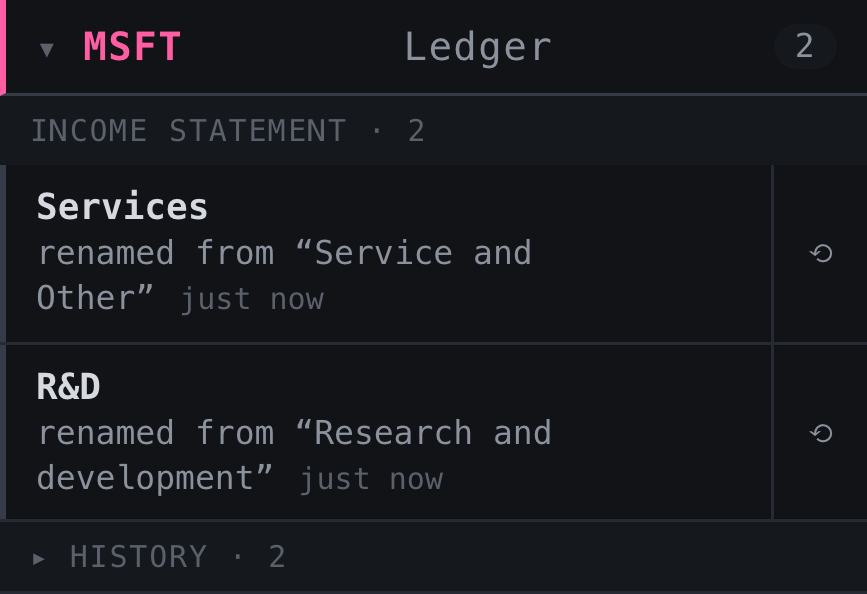
Simplify a verbose filing label into a tight line item — every edit lands in the Ledger with where it came from and a one-click revert.
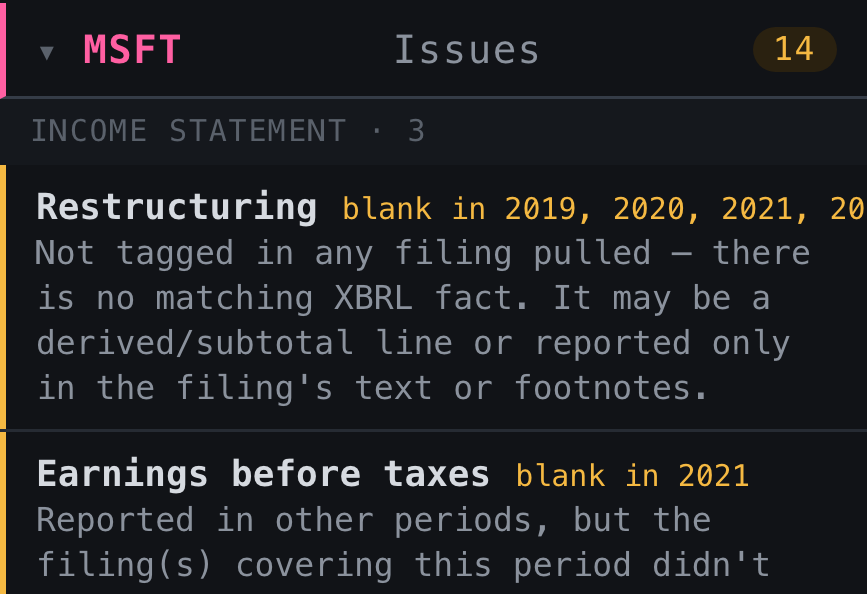
Every gap and mismatch is surfaced for review — never silently merged away. You see what the raw filing left ambiguous and make the call.
Missing values
Recovers figures the raw feed silently dropped.
Tag drift
Flags line items renamed or reclassified across years.
Subtotals
Fills gaps the filer never tagged at all.
Every suggestion cites its source and waits for your sign-off. The agent never merges, renames, or removes on its own — that call is always yours.
If you can't trace it to the filing, it doesn't belong in the model. Every cell, a receipt.
Start with a ticker — mega-caps to micro-caps, straight from EDGAR.